
Hiring an AI staff member, step by step.
No setup wizards full of jargon. Type a name, describe the job you'd rather not do yourself, and your new teammate is at their desk — manuals open, apps connected, working on your terms.
Hire them — start with a name
Type a name and they're on the team — that's the whole hire. Give them a short role so you and the rest of the team know what they're for. Everything else — the job description, manuals, apps — comes next.
New staff member
Role · Support lead
Describe the job in plain English
Write a short job description — what they do, how they sound, how they handle the tricky stuff. It's not a prompt to engineer; it's the same paragraph you'd hand a new hire, and it shapes everything they do.
Aria's job description
“Triages incoming customer support emails, drafts replies in a warm tone, and escalates complex issues to a human teammate. Always confirms refunds with me before sending them.”
Give them manuals — the manager writes new ones
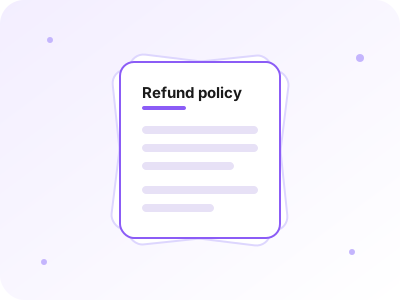
Manuals are the playbooks your whole team follows — a refund policy, your brand voice, a checklist, with reference files and images attached. Update one and everyone who uses it is in sync. And when your team learns a procedure worth keeping, the manager writes it up as a manual — you read it, then hand it to the team that needs it.
Connect apps and set the rules
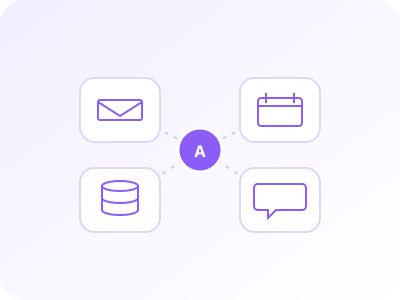
Out of the box your staff research the live web, keep files, and email you. Connect the rest — your helpdesk, CRM, calendar — and choose who gets which app. Then set the workspace's permissions: chat only, ask before acting, or fully autonomous. In ask-first mode every action waits for your one-click approval.
Delegate — even while you're away
Hand off the work, close the tab, and go do something you'd rather be doing. Your staff schedule their own follow-ups, finish multi-step jobs with nobody watching, and email you when something's done or needs a decision — reply from your inbox and it lands back on their desk. Every action is in the activity feed when you return.
Be among the first to hire.
Dispatch is in private beta while we onboard our first teams. Approved testers can sign in; broader access is coming soon.